The hidden-image problem
Strong image. Weak metadata.

Lost among millions. The image may be accepted, but it has fewer useful search connections and less chance of reaching the right buyer.
Metadata Matters
BEGINNERS GUIDE
DOES METADATA REALLY MATTER - SURELY A GREAT IMAGE SELLS ITSELF?
You've uploaded a beautiful photograph. You quickly fill in the boxes and click Submit. Job done... right?
But even great photographs need strong stock photography metadata if they have any chance of being discovered. A strong photograph can be accepted into a stock library and then become almost invisible among millions of other files.
Good metadata cannot turn a poor image into a successful one, but poor metadata can stop an excellent image from ever being found.
THAT'S WHY METADATA MATTERS.
And that's why we're going to help you get it right from the very start.
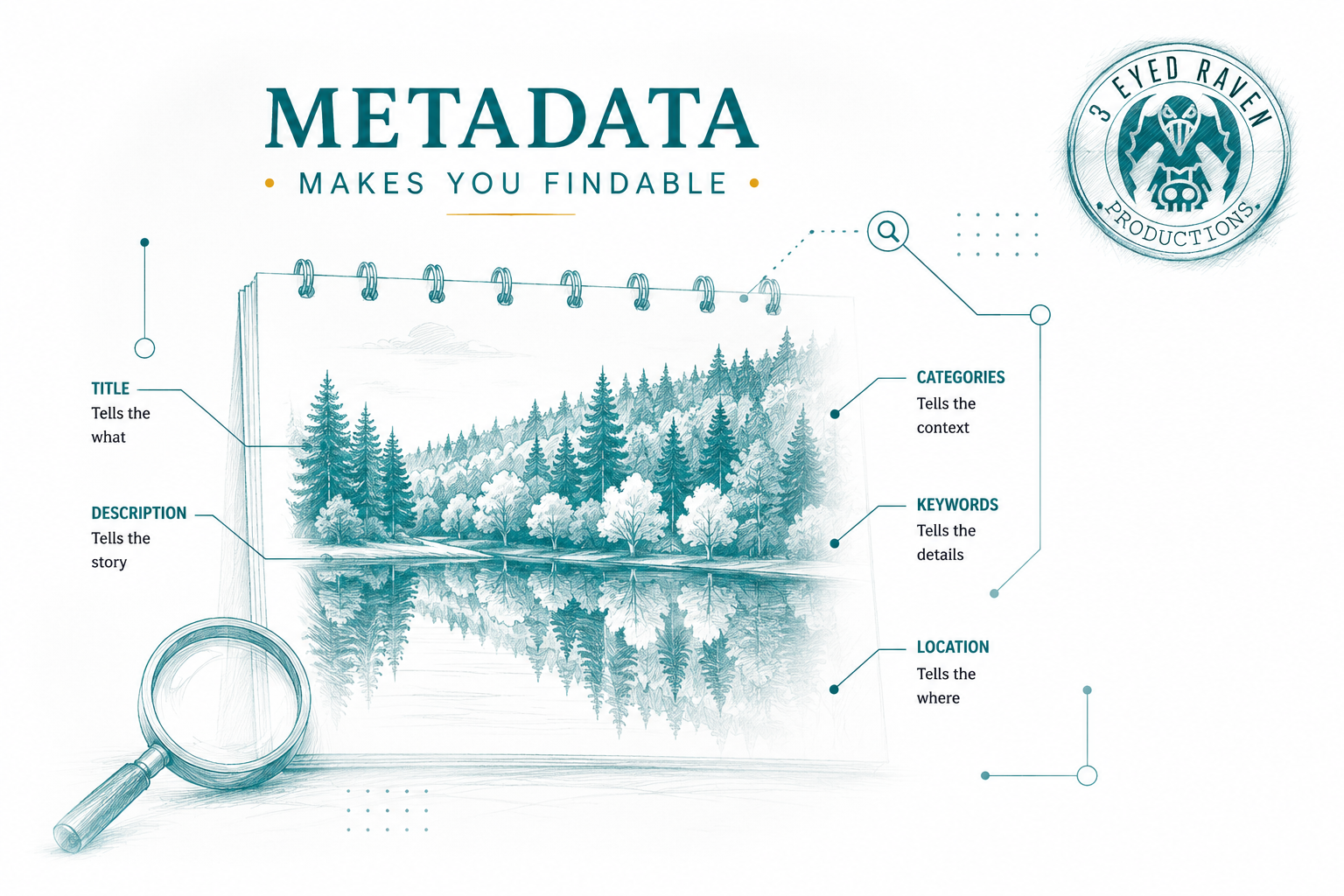
Everything you need to help buyers discover your stock photos.
Visibility before sales
Accurate metadata transforms your photograph from a file sitting in a library of millions into an image that buyers can discover, view and ultimately license.
The hidden-image problem
Lost among millions. The image may be accepted, but it has fewer useful search connections and less chance of reaching the right buyer.
The discoverable-image approach
A better chance of discovery. The agency can understand, classify and surface the image for more relevant searches.
A Real-World Search Experiment
How to Outflank Your Competition with Better Metadata
Every day, thousands of new photographs are uploaded to stock libraries, competing alongside the millions already available. Great photography alone isn't enough. If buyers can't find your work, it simply won't sell.
Buyers don't all search in the same way. If they are want an image similar to the one below, one person might search for autumn leaves, another for autumn trees, there could be the word lake in the search, or the buyer may use the word calm waters because they want reflections. There is always the possibility that someone might use a specific location in their search text. The more matching keywords or phrases in your metadata, the more likely it is for your photograph to appear in search results.
Vague and generalised metadata leaves your photograph buried amongst millions of competing images. It's a bit like buying a single lottery ticket and hoping for the jackpot. Better metadata stacks the odds in your favour, systematically narrowing the field until your photograph is competing against hundreds, dozens or, in this case, just six.
Let's see what happens as increasingly specific metadata is used to search for exactly the same photograph.
A very broad search
14,726,661 results
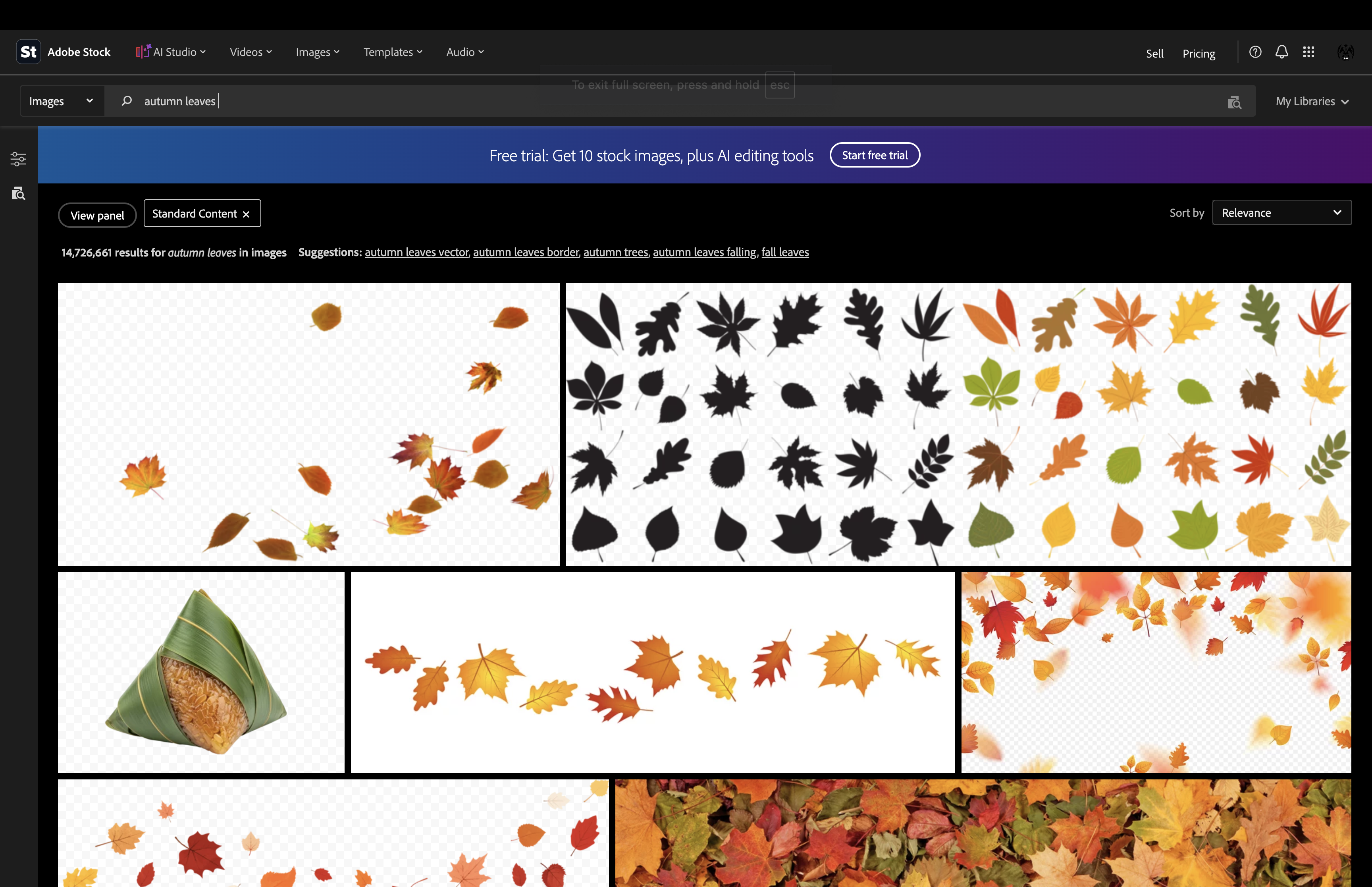
With only two generic words, the photograph is competing against almost fifteen million results covering every kind of autumn leaf image imaginable.
Add the setting
321,725 results
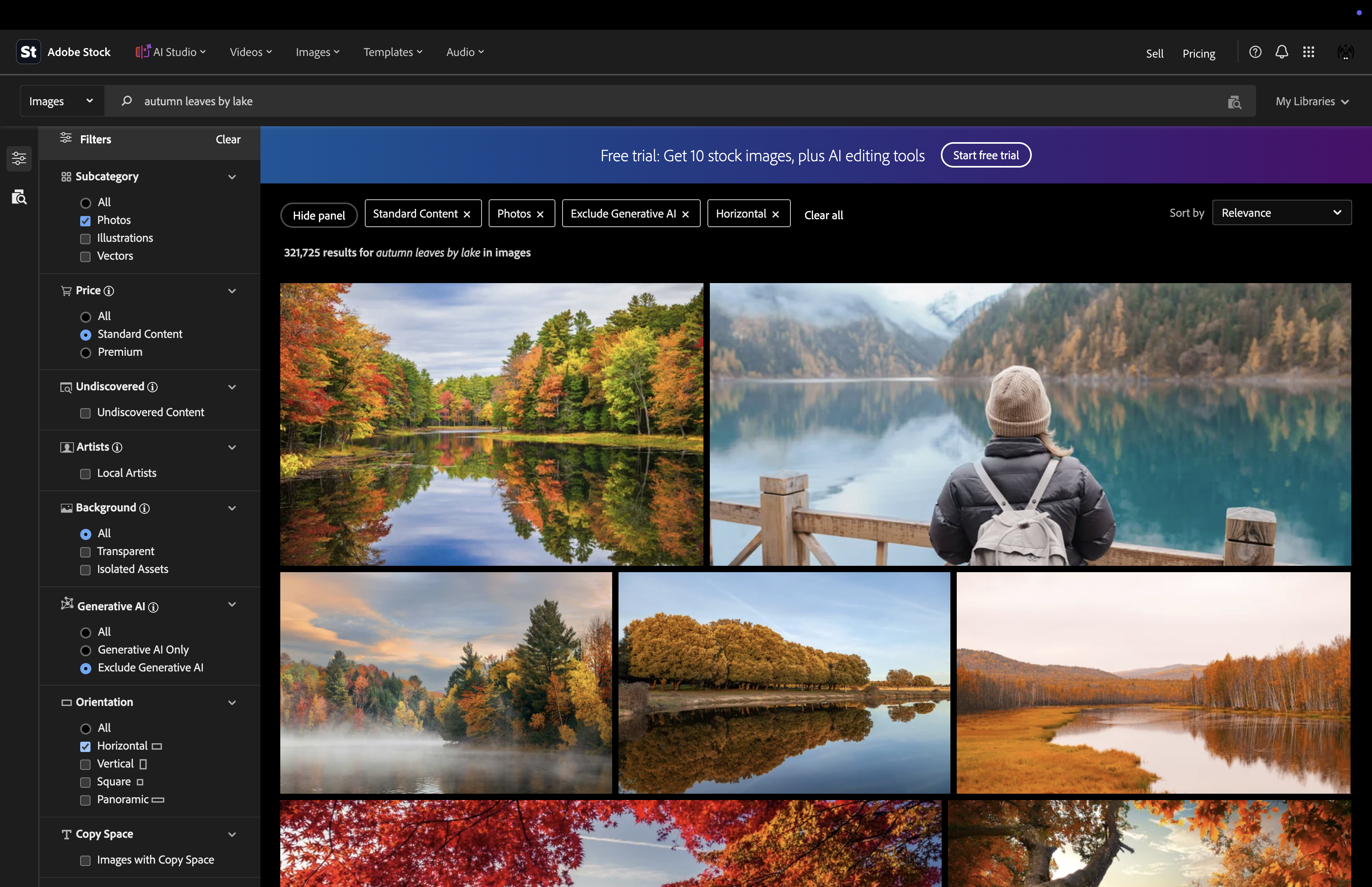
Adding the surrounding water removes millions of unrelated images, but the search still includes lakes from every country in the world.
Add the country
543 results
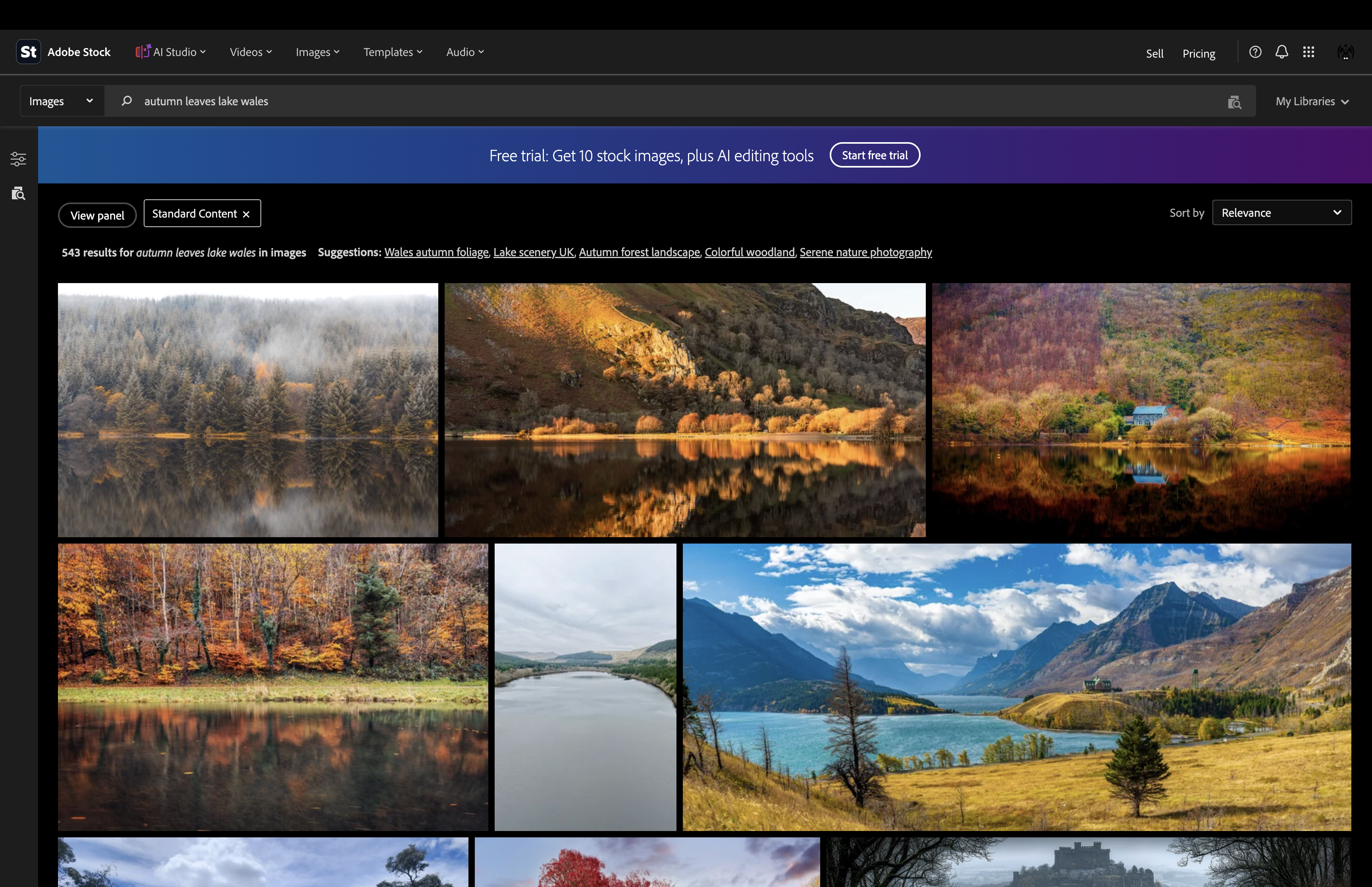
Adding Wales changes the search from a worldwide subject into a much more focused regional search.
Use the correct landscape feature
12,878 results
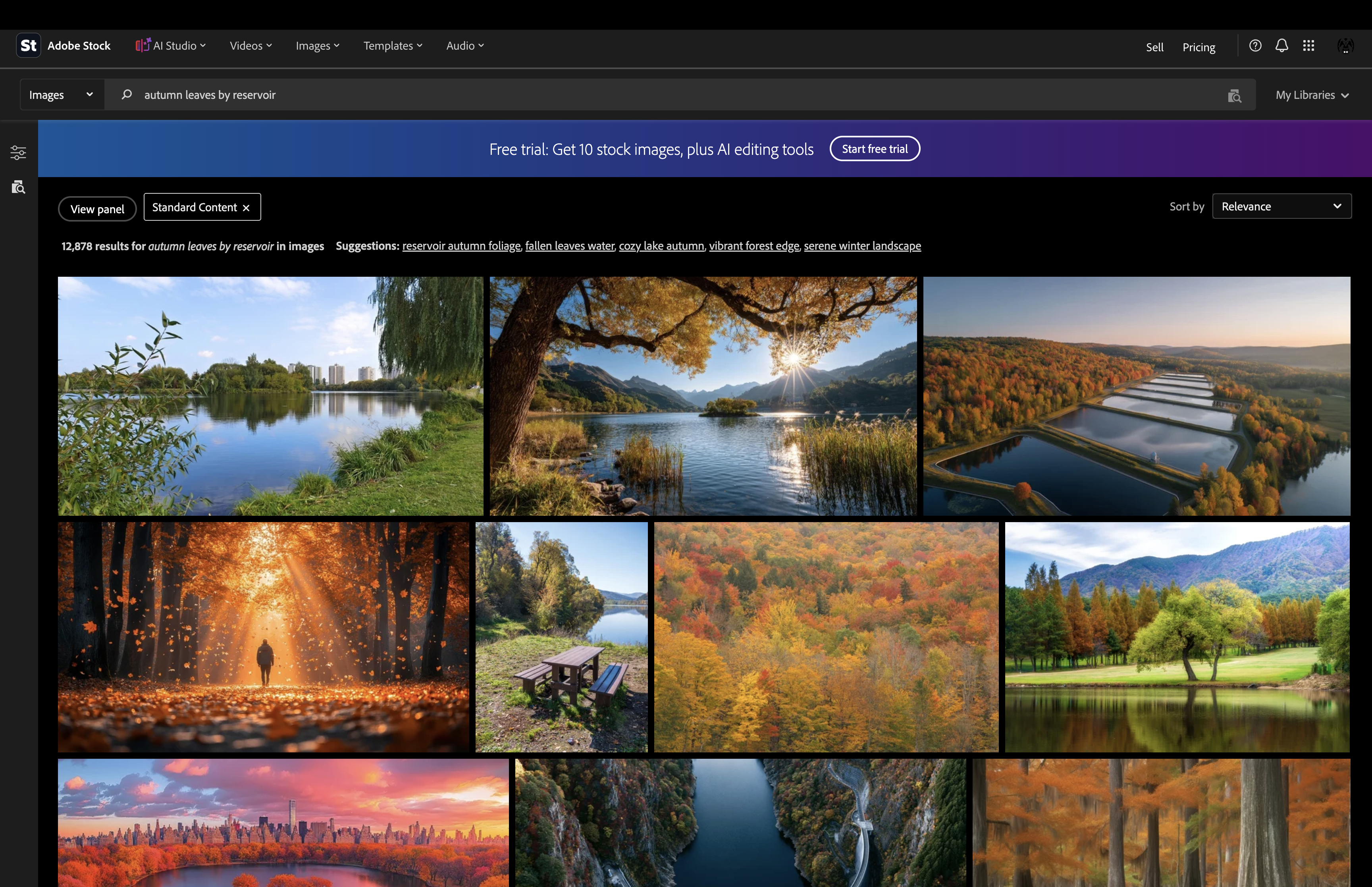
Local knowledge matters. This location is a reservoir, not simply a lake. Buyers searching for Brecon Beacons scenery may know the waters the are reservoirs, not lakes and therefore use the correct term creates another valuable route to the photograph.
Combine subject and location
69 results
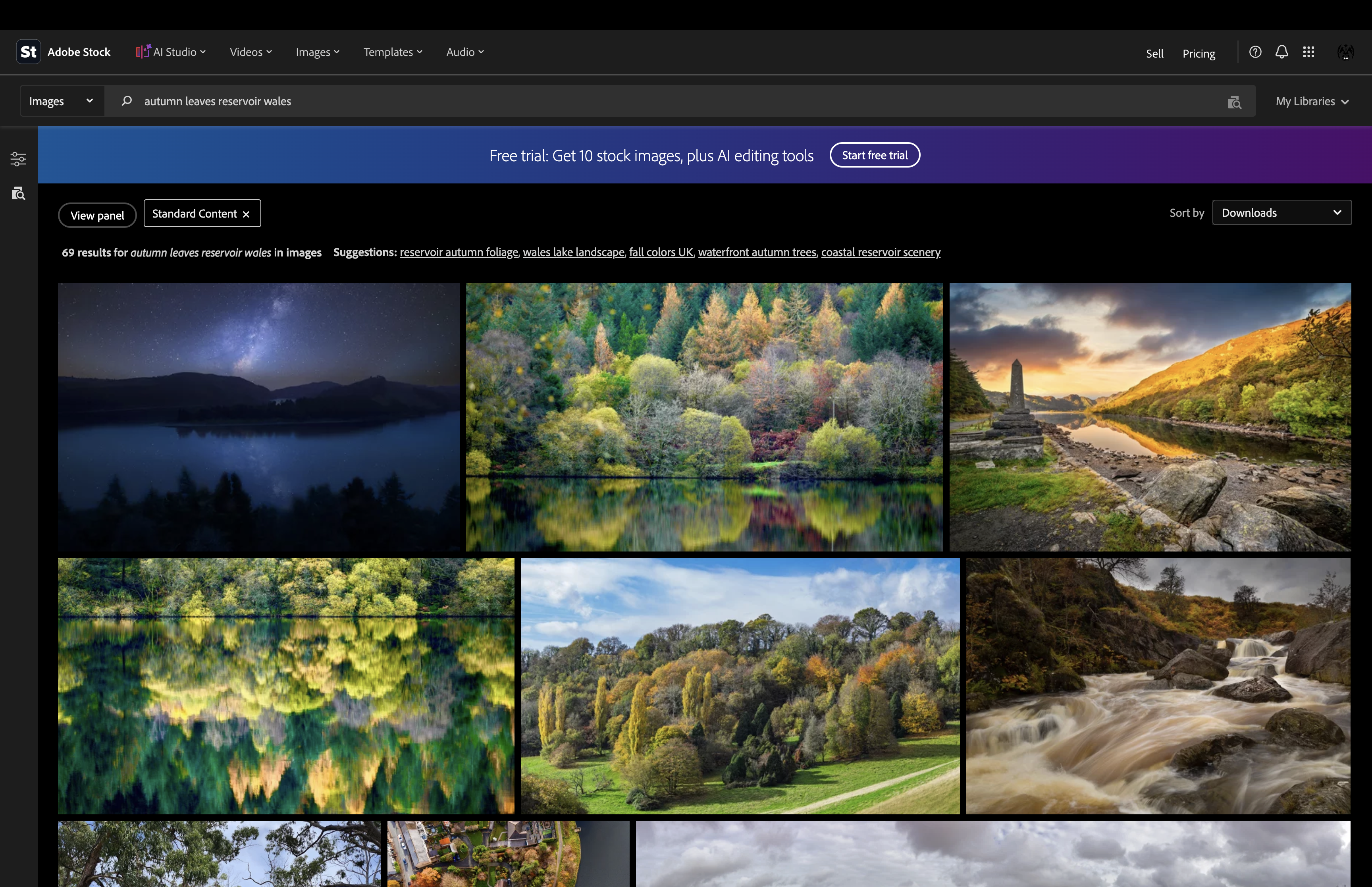
The search now describes both what can be seen and where it was photographed. The field has narrowed from almost fifteen million results to fewer than seventy.
Use the exact place name
6 results
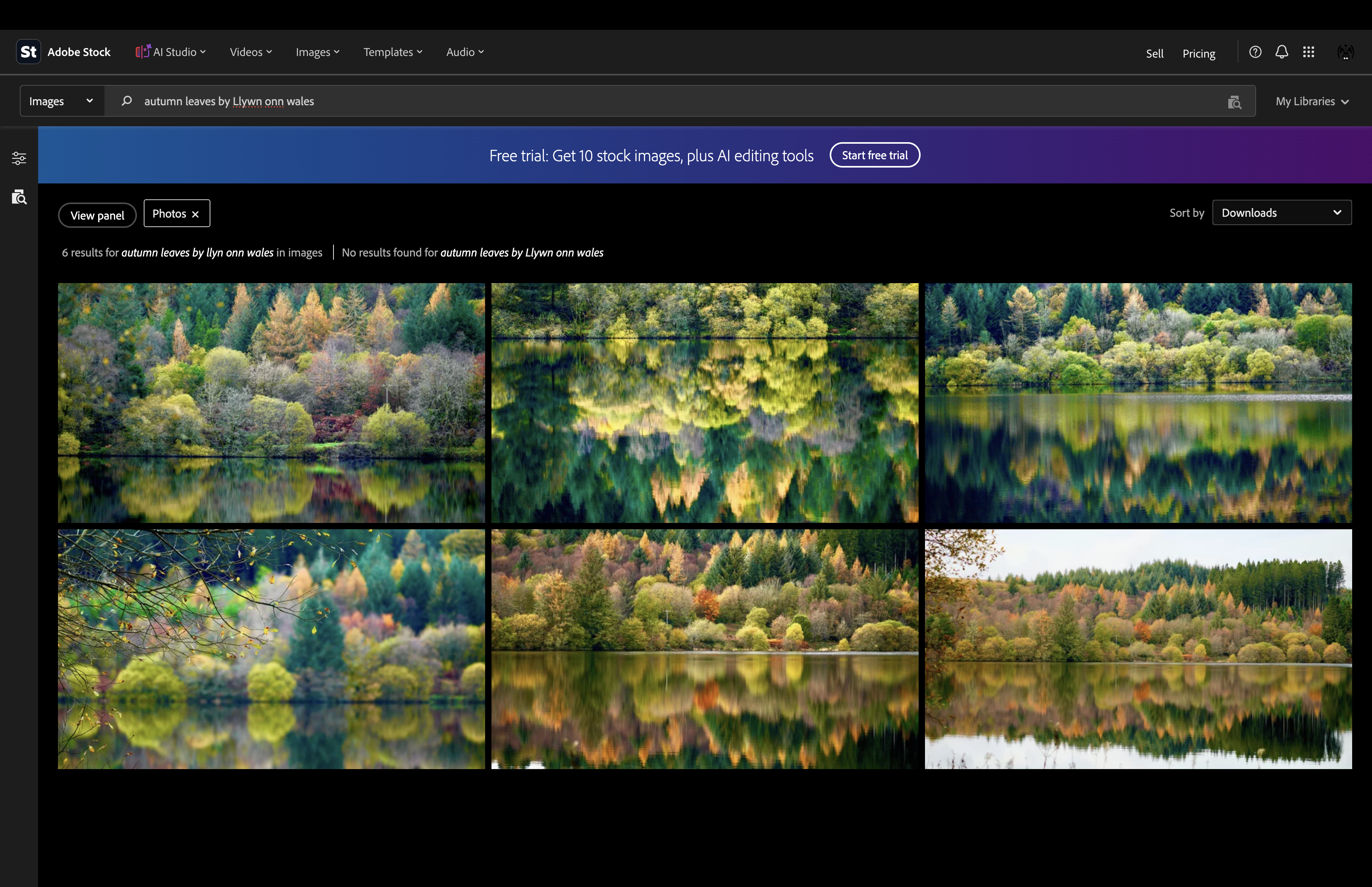
The exact location brings up a small, highly relevant collection of images from the same place.
SEARCH BY PLACE NAME ALONE
6 results — every photograph is ours
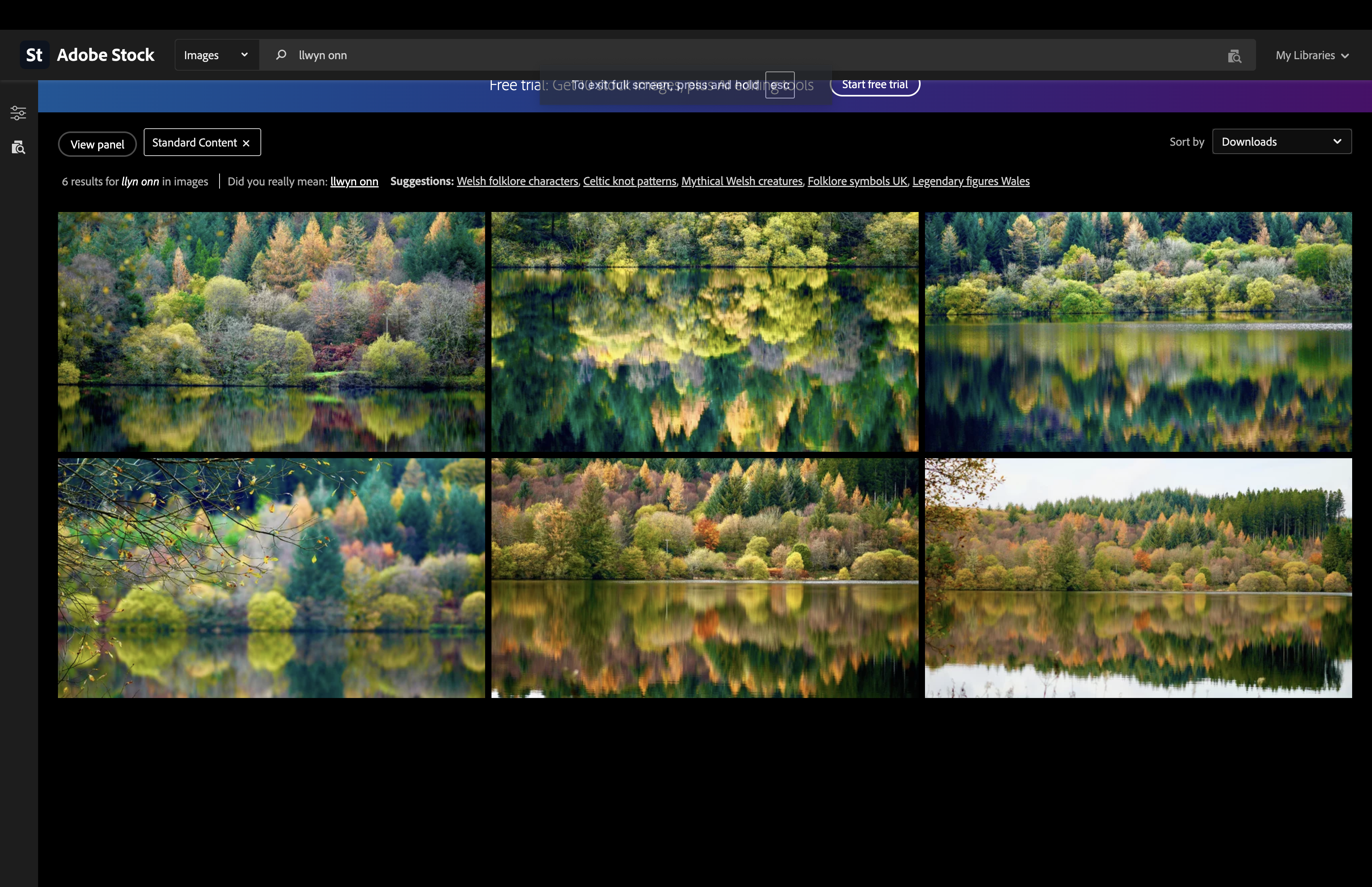
Here's the remarkable part. We removed every descriptive keyword—no autumn, no leaves, no reservoir and no Wales. We searched using nothing more than the place name: Llwyn Onn.
Adobe Stock returned just six photographs—and every one of them is from our collection.
There are no competing photographs for this search. A buyer searching specifically for Llwyn Onn doesn't have to scroll through millions of generic autumn landscapes. They arrive immediately at the photographs of the exact location they were looking for.
Choosing the correct content type
Before writing a single title, description or keyword, you first need to decide whether your image should be submitted as commercial or editorial. Choosing the correct stock content type determines how your metadata is written and whether your submission is accepted for review.
Your first decision is genuinely your most important one. If you choose the wrong content type, your submission is likely to be rejected during review. At that point, you can't simply change the content type and carry on. In most cases, you'll need to start the submission from scratch—creating a new submission under the correct content type and generating the metadata again. Spending a few moments making the right choice at the start can save a great deal of unnecessary work later..
If your image contains recognisable people, private property or protected brands, you'll usually need written permission before it can be licensed commercially. Every stock agency provides its own Model Release and Property Release forms, which must be completed and signed where required. It is your responsibility as the photographer or contributor to obtain these releases and ensure they are accurate before submitting your content.
Commercial content is intended for advertising, marketing and promotional use. Before submitting, ask yourself: "Do I have the legal right to license everything visible in this image for commercial use?" If the answer is no—or you're unsure—the image may need to be submitted as Editorial instead.
Anyone licensing a commercial image expects to use it without worrying about legal claims from the people, businesses or property owners shown in the photograph. As the contributor, it is your responsibility to ensure you have the necessary permissions before offering the image for commercial licensing.
Editorial images are not subject to the same licensing requirements as commercial content. Their purpose is to document and report real people, places, events and situations rather than advertise or promote a product, service or business.
Because editorial content is intended for factual reporting, it can often include recognisable people, private property, brand logos and trademarks without the Model or Property Releases normally required for commercial licensing. However, the information provided in your editorial metadata must always be accurate, objective and verifiable.
The foundations
All stock photography agencies require specific metadata before an image can be submitted for review. Accurate stock photo metadata helps search engines within stock agencies understand your content, making it easier for buyers to discover your work. If your metadata does not accurately describe the image, reviewers are more likely to reject the submission or buyers may never find it. While the exact metadata requirements vary between stock agencies, the core information remains remarkably consistent. Most stock agencies require, as a minimum, a title, a description and up to 50 keywords. Some also require categories, location, date and release information. Each element plays a different role in improving the visibility and discoverability of your images.
A concise identification of the main subject and action.
A clear explanation of what is visible and what is happening.
Relevant search terms describing subjects, concepts and context.
Broad classifications that help place the image correctly.
Essential context, particularly for editorial submissions.
Details relating to recognisable people or protected property.
Building useful metadata
Count every word and make every word count.
Writing effective stock photography metadata is about using every field for a different purpose. Repeating the same vague phrase across your title, description and keywords wastes valuable opportunities to describe the image properly. Every field should add something unique that helps buyers find your work.
A strong stock photo title should identify the main subject clearly and concisely. It should help a buyer understand the image immediately without trying to list every visible detail.
Beautiful mountain landscape
Hiker overlooking a misty mountain valley at sunrise
The description gives the image context. It can clarify the setting, action, mood, composition and other visible details that would make the photograph useful to a buyer. A good description should complement the title rather than repeat it.
Main subject + action + setting + relevant visual or conceptual detail.
Keywords provide multiple search routes into the image. Start with the main subject, followed by actions, locations, visual details and finally broader concepts. Place your most important keywords within the first ten positions, as many stock agencies give greater weight to earlier keywords.
Ensure your most important keywords are included in the first 10, starting with keywords that describe your main subject. Then progressively add action, location, visual details and broader concepts. Your full keyword list will then be ranked in order of importance and relevance. Avoid repeating the same word in different forms unless each variation genuinely reflects how buyers are likely to search for the image.
Stock Agency's Rules and Preferences
Although your photograph stays the same, every stock agency has its own submission rules, category system and metadata requirements. Successful contributors adapt their submissions for each platform while keeping the meaning of the image consistent.
Not Required
Title Preference: Shutterstock does not use a separate title field.
200 maximum:
Description Preference: Around 200 characters is recommended. Use English only and write one complete, factual descriptive sentence. Avoid comma-separated keyword lists.
50 maximum:
Keyword Preference: Keywords are displayed alphabetically after upload.
Required: 1 category
Optional: 1 secondary category
Category Preference: Shutterstock provides 26 predefined categories. Many overlap, so you have the opportunity to select an optional secondary category where appropriate. Both categories should be chosen according to Shutterstock's official category definitions.
200 maximum:
Title Preference: Use a brief, clear title, ideally under 70 characters. Focus on the visually important content. Avoid overly technical or gear-heavy terms, and do not refer to intellectual property, artist names or real people.
Not Required
Description Preference: Adobe Stock does not use a separate description field.
49 Maximum:
Keyword Preference: Rank keywords by importance. The first 10 keywords receive the highest search weighting.
Required: 1 category
Category Preference: Adobe Stock provides 21 predefined categories and automatically suggests one. Review the suggested category before submission and make the final choice according to Adobe's official category definitions.
80 maximum:
Title Preference: The maximum character limit on the platform is 200 but best practice is quotes as approximately 60–70 characters.
350 Maximum:
Description Preference: Keep descriptions factual and concise, focusing on who, what, where and when.
50 Maximum:
Keyword Preference: Getty Images and iStock use controlled vocabulary and a keyword selection tool to help standardise keywords.
Not Required
Category Preference: Getty Images and iStock do not use categories.
60 Maximum:
Title Preference: Use a clear, factual and highly descriptive title that describes exactly what is depicted. Avoid special characters, ALL CAPS and keyword stuffing.
500 Maximum:
Description Preference: Historic contributor documentation has referenced both 200- and 500-character limits. Around 500 characters is generally recommended. Include the scene, subject, location, date and time where appropriate, and avoid keyword stuffing.
50 Maximum:
Keyword Preference: No specific order is required. Pond5 recommends using 10–20 strong keywords with a focus on relevant, precise keywords..
Not Required
Category Preference: Pond5 does not use categories.
Common problems
Most stock photo metadata does not fail because of one dramatic error. Instead, poor metadata reduces image discoverability through vagueness, repetition, missing context and poor keyword relevance. Avoiding these common metadata mistakes can improve both stock agency review outcomes and buyer search visibility.
Titles such as "nice beach" or "business image" provide very little useful information about the actual photograph and make it harder for buyers to find your image in stock agency searches.
Adding unrelated or excessive keywords may create irrelevant search matches rather than improving visibility. Stock agencies reward accurate, relevant keywords over keyword stuffing..
Describing objects without describing genuine themes such as teamwork, isolation or sustainability can limit useful searches.
Guessing identities, locations, events or circumstances risks inaccurate metadata and unsuitable licensing.
Similar images still need details that reflect their individual composition, action and visual differences.
Metadata should describe what is present while also considering how a genuine buyer may search for and use the image.